
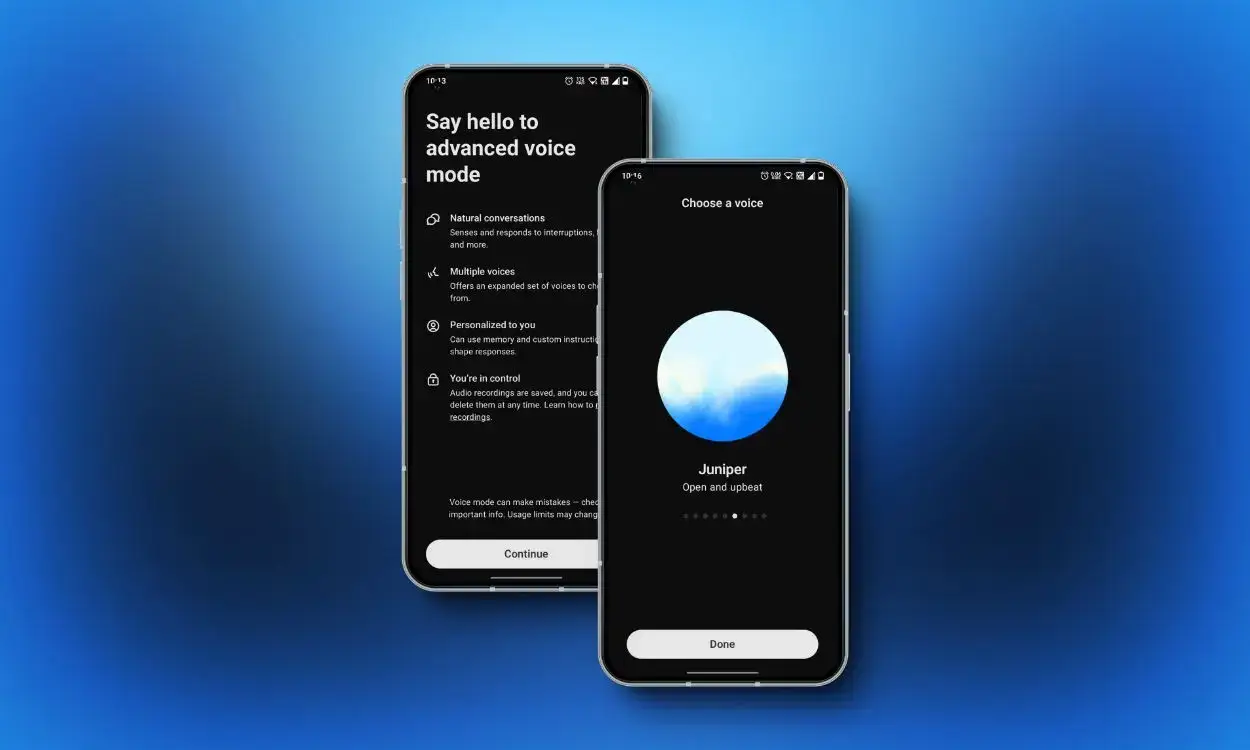

OpenAI said on Tuesday that it is enhancing the user interface of its popular AI chatbot so users can access ChatGPT Voice Mode directly within their chat, without switching to a dedicated mode.
That means you can chat with the chatbot and see its replies (including images it passes through) while you chat. Previously, you’d been taken to a mobile page where an animated blue circle served as the interface to ChatGPT’s Voice Mode. That screen also featured a mute button, a record live video button, and an X to return the app to its text-based default mode.
In these earlier chats, you could only hear ChatGPT speak, not see it on the screen. If you missed a response, that could be frustrating, because you would need to step out of the separate voice mode to view it as text.
Now, the company says you can speak and see your answers scattered across the screen as ChatGPT replies to your queries. Though you won’t be able to dive back into the old group chats, you’ll still be able to go through your past messages and see visuals shared during your talks — images or maps can also appear in them in real time.
The move will add some more naturalness to your interactions with the AI chatbot, because now you can more seamlessly switch between voice and text in a single conversation — though you’ll still need to tap “end” if you want to stop the call when it’s time to return from voice back to text.
This updated voice mode is now the default and is rolling out to all users on the web and in mobile apps.
For those who really like the separate voice mode, OpenAI said they can still switch back to the original experience under “Voice Mode” in “Settings.” There, they’ll find a new setting to enable ”Separate mode.”